


Download Party Booth – Photo Booth, Digital Photo Booth, Fun Photos, Webcam Photos, Party Photos, Creative Frames, Social Sharing, Print Photos
Overview
Party Booth is a creative digital photo booth application designed to transform any computer equipped with a webcam into a dynamic, interactive photography station. The app specializes in capturing fun, spontaneous images during social gatherings, events, or casual get-togethers. By leveraging built-in webcam functionality, Party Booth enables users to take engaging photos that can be instantly enhanced with decorative frames, layouts, and visual effects. Its primary purpose is entertainment and memory preservation through playful, shareable content rather than professional-grade image capture.
The application is ideal for individuals organizing parties, family reunions, or casual meetups who want to create a lighthearted atmosphere with instant photo keepsakes. While not intended for serious photography, it fills a niche in the digital experience space by combining real-time image capture with immediate customization and distribution. The developer, Party Booth Inc., has positioned the app as a lightweight, accessible tool for users seeking fun over functionality.
Real-world use cases include event photography at birthdays, weddings, or corporate team-building activities where guests can take silly selfies with themed frames. The app’s ability to share directly to social media platforms like Facebook and Tumblr further enhances its appeal for users who value instant digital presence. Though the app was released in 2010, its core concept remains relevant for users seeking a no-frills, entertaining photo experience.
Key Features & Functionality
- Webcam Integration: Utilizes the computer’s built-in or connected webcam to capture real-time images. Users can position themselves in front of the camera and trigger photo captures with a simple click or timer, making it ideal for spontaneous shots.
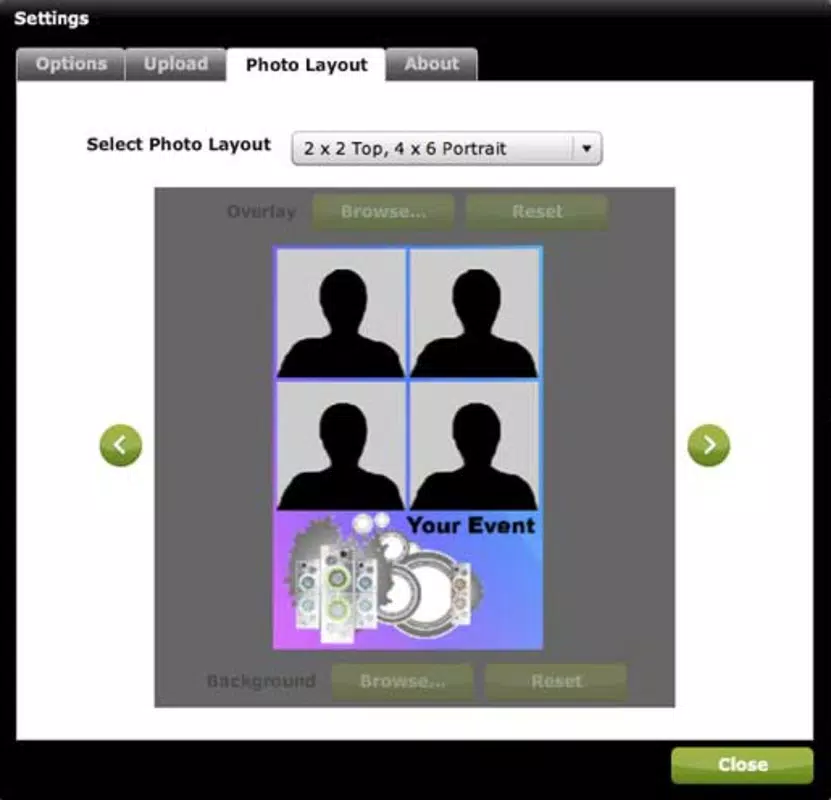
- Customizable Frames and Layouts: Offers a selection of decorative frames and multi-photo layouts that can be applied post-capture. These visual enhancements allow users to personalize their photos with playful themes, borders, and arrangements.
- Social Media Sharing: Enables direct uploads to platforms such as Facebook and Tumblr. This feature streamlines the process of sharing event photos with friends and family, reducing the need for manual file transfers or third-party apps.
- Instant Printing Support: Allows users to print photos directly from the application. This functionality supports the creation of physical keepsakes, such as party mementos or guest books, adding a tactile dimension to digital memories.
- Lightweight and Fast: With a file size of 15.2 MB, Party Booth is designed for quick installation and minimal system resource usage, ensuring it runs smoothly on older or low-spec computers.
For example, during a birthday party, guests can line up at a computer station, take a series of fun photos with animated frames, and instantly share them online or print them out as party favors. The app’s simplicity makes it accessible even to users with limited technical experience.
Interface, UX & Performance
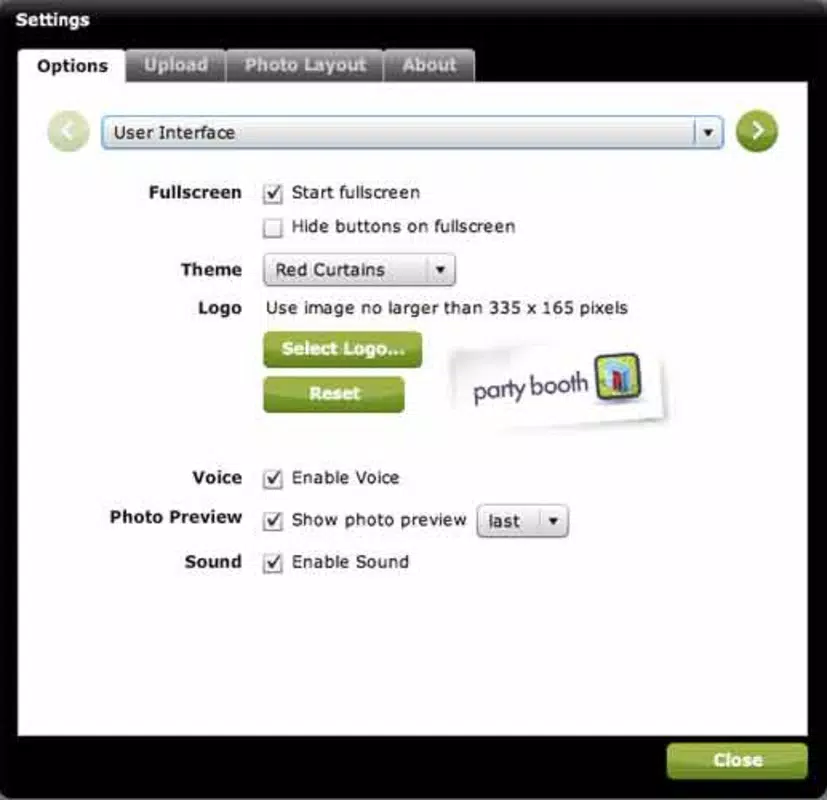
The user interface of Party Booth is straightforward and centered around the live webcam feed. The main screen displays the camera view with minimal distractions, allowing users to focus on posing and timing their shots. Navigation is intuitive, with clearly labeled buttons for capturing images, applying frames, sharing, and printing.
Visual design emphasizes functionality over aesthetics, with a clean layout that prioritizes usability. Menus are logically organized, and transitions between capture, edit, and share modes are smooth. Although the developer did not list formal performance metrics, the app’s small file size suggests optimized resource usage, which likely contributes to stable operation across various Windows systems.
Responsiveness appears consistent based on its long-standing presence and minimal system demands. Users can expect quick startup times and immediate feedback after each action. Stability is likely maintained due to the app’s limited scope and lack of complex background processes. However, specific compatibility with newer Windows versions was not disclosed, so users should verify functionality on their system.
Platform Compatibility & Technical Requirements
Party Booth is available exclusively for the Windows platform. It requires a computer with a functioning webcam and a compatible version of Windows. The app has a file size of 15.2 MB, making it suitable for devices with limited storage capacity.
The developer did not specify minimum OS requirements or hardware specifications beyond the webcam. This lack of detail means users should exercise caution when installing on older or non-standard systems. While the app was released in 2010, it may still function on modern Windows versions, though compatibility is not guaranteed without further testing.
Given its age and platform-specific nature, Party Booth is not available on mobile operating systems such as Android or iOS. Users seeking similar functionality on smartphones should explore alternative apps designed for mobile use.
Pros and Cons
Pros
- Free to download and use with no hidden costs
- Lightweight design (15.2 MB) ensures fast installation and low system impact
- Simple interface suitable for users of all technical levels
- Supports direct sharing to popular social media platforms
- Enables instant printing of captured photos
Cons
- Platform limited to Windows; not available on mobile devices
- Outdated release date (2010) raises concerns about compatibility with modern systems
- No information provided on minimum OS or hardware requirements
- Limited to webcam-based photography with no support for external camera input
- Does not offer advanced editing tools or filters beyond frames and layouts
FAQ
Is Party Booth free to use?
Yes, Party Booth is available at no cost. There are no subscription fees or in-app purchases reported.
Can I use Party Booth on my smartphone?
No, the app is designed exclusively for Windows desktops and laptops. It is not available on Android or iOS devices.
Does Party Booth require an internet connection?
While the app functions offline for capturing and editing photos, an internet connection is needed to share images on social media or use the print feature with cloud-connected printers.
Is Party Booth safe to download?
Party Booth is distributed by Party Booth Inc. and has been available since 2010. As with any software, users should download from official or trusted sources to avoid potential security risks.
How do I install Party Booth?
Download the installer from a trusted source, run the executable file, and follow the on-screen prompts. The process is straightforward and requires no advanced technical knowledge.
Final Thoughts
Party Booth remains a nostalgic yet functional tool for users seeking a simple, entertaining way to capture and share photos during events. Though its release date indicates it is over a decade old, its core features—webcam capture, creative frames, social sharing, and printing—still hold value for casual users. The app excels in creating fun, memorable moments without requiring complex setup or technical know-how.
It is best suited for individuals hosting gatherings, organizing team events, or looking for a low-effort way to generate shareable content. Its lightweight design and zero cost make it an attractive option for those with older computers or limited budgets. While it lacks modern enhancements, its straightforward approach ensures reliability and ease of use.
For anyone looking to add a playful touch to their next event, Party Booth delivers on its promise. Download Party Booth now


